January 12 2026
Loading...
With cyber attacks and online threats becoming more complex, we’re committed to continually strengthening security. We’ve introduced passkey technology to the Rest App, adding extra security to your account. This will help keep your personal information and super safe.
Passkeys instead of passwords
Passkeys are a secure and simple way for you to access your account. It will be used to verify you when you log into your account (instead of a password).
Passkeys have a lot of benefits:
- Safer and easier alternative to passwords
- Stored securely on your device (like your phone or tablet) and protected by something like your fingerprint, face, or PIN.
- Designed so that your private key never leaves your device. Rest doesn’t store your passkey and we can never see it.
Extra checks for sensitive transactions
We’ve also added an extra layer of security when you make sensitive changes or transactions in the Rest App, for example changing account details or making a direct debit. This means you may be asked to use your biometrics to confirm those transactions. You will also be asked to re-verify your account every 12 months.
Multiple Accounts
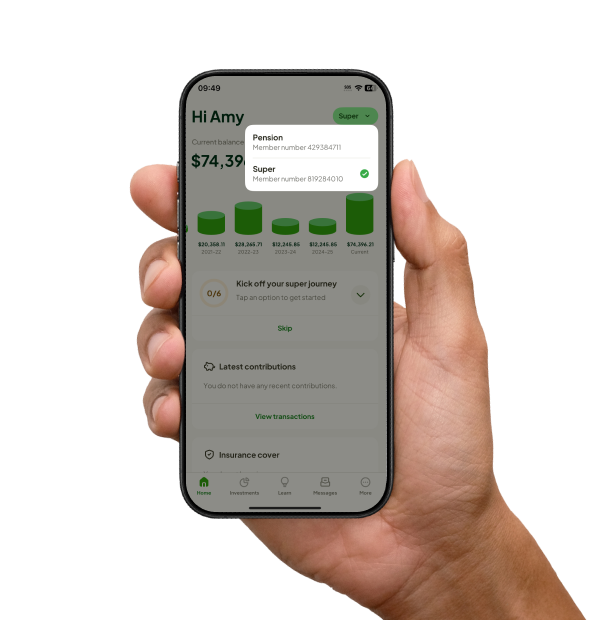
If you have multiple accounts, you will now be able to switch between all your accounts in the Rest App.