Consider opening a Rest Pension account today

Whether you’re just about to retire or in the early stages of planning for retirement, this checklist will help you open a Rest Pension account either as a Transition to Retirement (TTR) account, or a Retirement account.  

We offer two different pension accounts. Both accounts are a ‘Rest Pension’ account so you can use the same PDS and Application Form. Depending on your age and whether you’re employed we’ll set you up with the right account.

Transitioning to retirement  Already retired 
If you’re over 60 and not yet retired and want to either work fewer hours or maximise your super before full retirement, consider our Rest Pension – Transition to Retirement (TTR) account.      If you’ve already retired, left an employer since age 60, or 65 and want a super account that can provide you with a regular income, consider our Rest Pension – Retirement account.

Learn more about how a Transition to Retirement (TTR) account can help you maximise your super or work fewer hours.

Feeling unsure about which account might be right for you? Book in a call with a Super Specialist at no extra cost today.  

Before you start

1. Check your eligibility

To get started with a Rest Pension account, you’ll need to have a minimum of $10,000 in super and meet one of the criteria below: 

  • You are at least 60 years old; and
    • You are working; or
    • You’ve retired from work; or
    • You have left an employer after turning 60.
  • You are 65 or over.
  • You have unrestricted non-preserved super*. 

*Unrestricted non-preserved super could include Death benefits (from spouse or parent) or benefits from a Total and Permanent Disability claim.

Make sure you read our Pension Product Disclosure Statement

The Rest Pension Product Disclosure Statement (PDS) covers all the details of our pension products so you can understand the ins and outs, and determine if it’s right for you. 

2. Gather your information and decide on the details

You’ll need:

  • Your proof of ID and bank account details.
  • To know the amount you’d like to receive from your pension account, and how frequently you’d like to be paid.
  • An understanding of which investment option/s you’d like your pension account balance to go into.
  • If you’re continuing to work, consider the amount you’d like to leave in your super account. The super account is required for contributions and for any insurance you would like to maintain. 

3. Before opening a Rest Pension account

Keep in mind you can’t add to your Rest Pension once it’s started so if more contributions are expected, for example, if you’re continuing to work– you’ll likely want to keep your super account open.

If you’re keeping your super account open (e.g. for further employer contributions):

  • Your super account should have at least $6,000 remaining.
  • If you need to claim a tax deduction on any personal contributions, make sure we’ve acknowledged your Notice of Intent to Claim before moving your super to a Rest Pension account.
  • If you’re keeping the insurance in your super account, make sure you have enough funds in there so you stay covered.

If you’re closing your super account (you plan to retire):

  • Consider consolidating and bringing over all your super into one super account, before you open your pension account. You can find lost super by logging in to your MyGov account.
  • Make any personal or downsizer contributions prior to establishing your pension account.
  • Make sure all your contributions have arrived from your employer.
  • If you need to claim a tax deduction on any personal contributions, make sure we’ve acknowledged your Notice of Intent to Claim before moving your super to a Rest Pension account.
  • Check how this might affect your insurance as this will be cancelled once the account is closed. 

Question mark enclosed in a circle

Did you know?

If you’re a Rest member, you may be eligible for a Retirement Bonus.  

Choose how to open an account

Digitally

Digitally

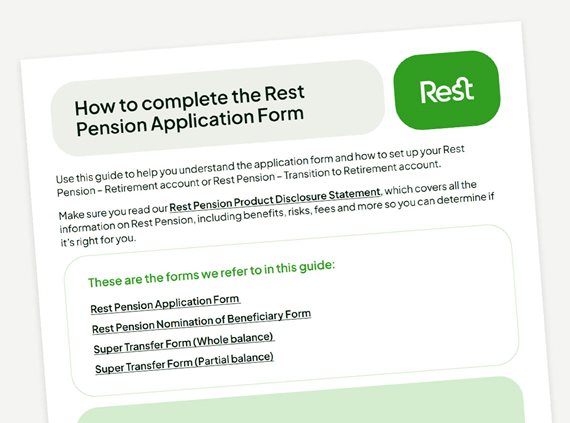
You can download the Rest Pension Application Form, complete and sign it digitally and then email to pension@rest.com.au


file icon

Print & email or post

You can print the Rest Pension Application Form, or call 1300 300 788 and we'll send you a copy of the PDS with application form. Complete and sign it in BLUE or BLACK pen and then email it to pension@rest.com.au, or you can post the form to:

Rest Pension
Locked Bag 5042
Parramatta NSW 2124


What to expect once you apply 

Icon of We receive your documentation

We receive your documentation

We’ll be in touch if there’s anything we need corrected.^
Icon of Your pension payments start

Your pension payments start

Once we’ve consolidated  all your super and contribution amounts into the new account.
Icon of Your welcome pack arrives

Your welcome pack arrives

It will arrive around 5 days and will include a member number and login details. 

^If you are completing a paper form, please initial any corrections you have made on the application. 

Frequently asked questions

Can I get help to complete the pension application form as there are parts I do not understand?


Yes. If you need support please contact us.

Is there an online application to open a pension account?


We’re upgrading our online pension application as part of improvements to our MemberAccess portal. There is a digital application form which can be completed here.

Where can I find the digital application form?


You can access the digital pension application form here. The form is editable and can be signed electronically and emailed to pension@rest.com.au.

Don't forget to get set

Once you’ve opened your pension account you can change your investment options, your pension payment amounts and your payment frequency online or with the Rest app.

Have more questions? We’re here to help

The Rest Advice team can help you decide whether the Rest Pension account is right for you.  Speak to one of our Super Specialists to help you book in an appointment with a Rest Adviser.